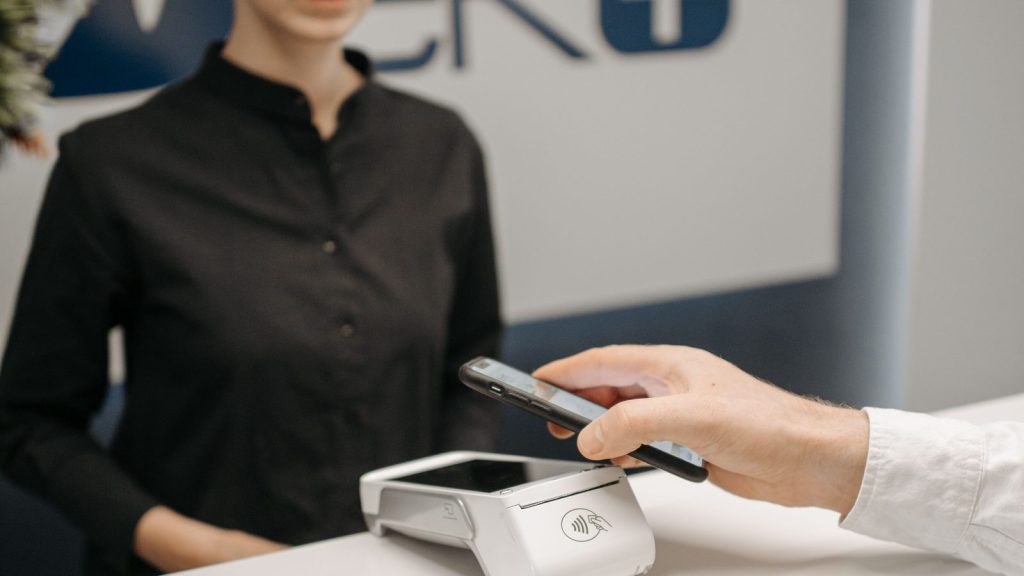
If I were setting up a Google review process for an Ontario local business, I would keep it simple: ask real customers for an honest review after their experience is complete, give them a direct link or QR code, and make it clear that reviewing is optional. That keeps the request clear, simple and neutral.
Research note: I prepared this guide using current Google Business Profile policies, Canadian anti-spam and deceptive-marketing guidance, Ontario professional-regulator resources, Ahrefs Canada keyword data reviewed on July 28, 2026, and recent practitioner discussions. I used AI-assisted tools to help organize the research and initial draft, then checked the factual recommendations against the primary sources linked below. Reddit questions informed the practical coverage, not the factual advice.
The direct answer
To ask for Google reviews safely, I would ask every eligible customer using the same neutral process. I would ask after the service or transaction is complete, share the business's direct Google review link, and invite an honest review without asking for a particular rating or content. I would not offer a discount, gift or contest entry. I would not ask only customers who seem happy, set staff quotas, or pressure someone to review while staff watch.
Google permits businesses to ask customers for reviews. Its policies prohibit incentives, review gating, pressure and attempts to influence a review's rating or content. The practical distinction matters because a shortcut can put the business's profile and reputation at unnecessary risk.
I have spent more than 15 years in marketing, including agency-side SEO, GEO and paid-media work for local businesses such as lawyers, dentists, physiotherapists and gyms. Across those roles, my approach is consistent: I want a process the business can explain plainly to customers, staff and a regulator.
Why Google reviews matter for a local business
Google says local results are mainly based on relevance, distance and prominence. Its local ranking guidance also says that more reviews and positive ratings can help a business's local ranking.
That does not mean reviews guarantee a top map position. A complete Google Business Profile, accurate categories, a relevant website, the searcher's location and the strength of competing businesses still matter. Reviews are one part of a larger local visibility system. I explain that broader system in my Google GEO guide for Ontario local businesses.
Reviews also help a potential customer understand what dealing with the business may be like. They provide customer language, reveal recurring service issues and give the owner a public opportunity to respond. I view that decision support as the main value.
Why I chose this question
A recent r/localseo discussion about review strategy had a score of 16 and 19 comments when I checked it on July 28. The owner wondered whether a QR thank-you card with a future discount would work. That question requires separating a convenient request method from a prohibited incentive.
I do not use Reddit comments as evidence of Google's rules or of what improves rankings. I use them to understand the language and decisions business owners are wrestling with, then verify the answer elsewhere.
Ahrefs' Canada database also showed informational demand. The phrase how to ask for Google reviews had an estimated monthly volume of 30, keyword difficulty of 12 and traffic potential of 600 on July 28, 2026. These are directional estimates, not traffic forecasts, but the intent is clear: owners want a process they can use.
What Google allows and what I avoid
| Practice | My recommendation | Why |
|---|---|---|
| Ask a genuine customer for an honest review | Allowed | Google explicitly permits businesses to ask customers for reviews. |
| Send a direct Google review link | Allowed | It reduces friction without influencing the review. |
| Display Google's review QR code | Allowed | Google provides a QR code option for review requests. |
| Use neutral wording and make the request optional | Recommended | It leaves the rating and content to the customer. |
| Offer a discount, gift, loyalty points or contest entry | Avoid | Google prohibits incentives in exchange for reviews. |
| Ask only customers who gave positive private feedback | Avoid | This is review gating and selectively solicits positive reviews. |
| Ask for a five-star review | Avoid | It attempts to influence the rating. |
| Suggest review wording or details to mention | Avoid | Google says merchants must not request specific content, including staff names. |
| Pressure a customer to review while staff watch | Avoid | Google prohibits coercion and pressure. |
| Set review quotas for individual employees | Avoid | Google's policy specifically warns against staff review quotas. |
| Buy reviews or arrange reviews from people without a genuine experience | Prohibited | The content would not reflect a real customer experience. |
Google's Maps user-contributed content policy is especially important. It says reviews should reflect a genuine experience and prohibits incentives, selective positive solicitation and requests for specific content. The safest request is also the shortest: “If you're comfortable, please leave an honest review of your experience.”
There is a Canadian advertising issue as well. The Competition Bureau says false or misleading advertising is unlawful. Its guidance on deceptive marketing discusses fake reviews posted by employees or paid parties who present themselves as impartial consumers. I would never ask staff, family, a vendor or anyone else to pose as a customer. A real relationship should not be disguised as independent experience.
The review workflow I recommend
- Define who receives the request. Use a consistent rule based on a completed customer experience. Do not use a private satisfaction survey to identify only the people likely to post a positive review.
- Choose a natural time. Ask after the service has been delivered or the transaction is complete. The customer should have enough experience to form an honest opinion.
- Make the route direct. Send customers to the business's actual Google review form. Do not make them search for the profile or pass through a page that filters them by sentiment.
- Keep the wording neutral. Ask for an honest review, not a positive one. Do not provide sample review text or a list of details to mention.
- Stop before the request becomes pressure. I am comfortable with one polite reminder when the original request may have been missed. Repeated messages can turn an optional request into an uncomfortable experience.
For businesses with long or sensitive engagements, such as law firms or health professionals, timing requires more judgment. The customer's privacy, the regulator's rules and the nature of the relationship should take priority over review volume.
How to create the Google review link and QR code
Google provides its own review link and QR code process:
- Sign in to the Google account that manages the Business Profile.
- Open the Business Profile.
- Select Read reviews.
- Select Get more reviews.
- Copy the review link or download the QR code.
Google notes that the QR code option is available through a desktop browser. Its review link and QR code instructions suggest using the link in thank-you emails, receipts and chat interactions, or displaying the QR code in a physical location.
Before printing a QR code on signs or cards, I test it on more than one phone. The destination should open the correct business profile without unnecessary steps. I would keep the sign available rather than standing over the customer while they use it.
Neutral review request scripts I would use
These scripts intentionally avoid promises, incentives and suggested content. I would adapt the greeting and sign-off to match the business's normal voice, but I would keep the request itself neutral.
In-person request
Thank you for choosing us. If you'd like to share an honest review of your experience, you can use this Google review link or QR code. There's no obligation.
Email request
Subject: Would you share an honest review?
Hi [first name],
Thank you for choosing [business name]. If you're comfortable sharing an honest review of your experience, you can do so here: [Google review link]
Reviewing is completely optional.
Thank you,
[name and business contact details]
Text message request
Thank you for choosing [business name]. If you'd like to leave an honest Google review, here is the link: [review link]. It's completely optional. Reply STOP to unsubscribe.
Receipt or QR card
Share an honest Google review
Scan this code to open our Google review page. Reviewing is optional, and no purchase or reward depends on it.
I would not add “mention your service,” “name the employee who helped you,” or “tell people you're in Hamilton.” Even if those details could make a review more descriptive, asking for them influences content that should belong to the customer.
Email and text requests need a CASL check
Canada's Anti-Spam Legislation can apply when a business sends commercial electronic messages by email or text.
The CRTC's CASL guidance explains that commercial messages generally require consent, sender identification and a working unsubscribe mechanism. A valid existing business relationship may sometimes support implied consent, but the exact facts matter and the sender must prove the consent basis.
The CRTC's CASL FAQ says a genuinely noncommercial survey may fall outside CASL, while promotional content can make a message commercial. The CRTC does not classify review requests as a category in that guidance, so I treat this as a fact-specific question. A plain request may be noncommercial, but an offer, upsell or promotional tagline can change the analysis.
I do not assume every review request is exempt. When in doubt, I configure it to meet CASL requirements: document consent, identify the sender, provide contact information and include an easy unsubscribe. Larger programs should obtain legal advice for their workflow.
Regulated Ontario businesses have another layer of rules
Google's rules are only one part of the analysis. Ontario professional regulators can place additional limits on advertising and testimonials.
- The Law Society of Ontario's Rules of Professional Conduct require lawyer marketing to be demonstrably true, accurate and verifiable, and not misleading. Its commentary also addresses testimonial-style advertising and emotional appeals.
- The Royal College of Dental Surgeons of Ontario's advertising guidelines restrict testimonial and personal-feeling content in dental advertising.
- The College of Physiotherapists of Ontario's advertising resources say genuine testimonials must be true, accurate and verifiable. Informed consent is required when patient names, images or health information are used in advertising.
A customer choosing to post a Google review and a business reusing that review in an advertisement are not necessarily the same activity. Before placing a review on a website, social post, brochure or paid ad, I would check the relevant regulator's rules and obtain any consent that is required.
This is practical marketing guidance, not legal advice. Regulated businesses should confirm their obligations with their regulator or counsel.
What I would do for a business with few customers
A business with only a handful of clients each month should not try to manufacture the review velocity of a busy restaurant. I would ask each eligible customer using the same neutral process and let the profile grow over time. A QR card, an invoice link or a short follow-up message can still work when transaction volume is low.
I would track whether the process happened, but I would not turn positive reviews into an employee quota. The goal is a consistent opportunity for genuine feedback, not a burst of ratings created to satisfy an internal target.
How I respond to Google reviews
Google says review replies are public, the reviewer is notified and the customer can update the review afterward. I respond as though both the reviewer and future customers will read the exchange.
A positive review response
Thank you for taking the time to share your experience. We appreciate your feedback.
A neutral review response
Thank you for the thoughtful feedback. We appreciate you sharing it and will consider the points you raised.
A negative review response
Thank you for bringing this to our attention. To protect your privacy, we will not discuss account or service details here. Please contact us at [contact method] so we can look into the matter.
I do not confirm private facts, diagnoses, legal matters, account details or even whether someone is a customer when doing so could expose confidential information.
A business can flag a review that violates Google's policies. Google's review reporting guidance is clear that a review is not eligible for removal merely because the business dislikes it or disagrees with it.
What I measure
I use measurement to improve the request process, not to pressure customers or employees.
| Metric | What it can reveal |
|---|---|
| Requests sent | Whether the agreed workflow is being followed. |
| Delivery failures | Problems with email addresses, phone numbers or messaging systems. |
| Review-link clicks | Whether the request and link are easy to use. |
| Reviews published over time | The long-term direction of genuine review activity. |
| Review response time | Whether someone is actively listening and replying. |
| Recurring themes | Service strengths or problems that deserve attention. |
| Calls and form submissions | Broader business performance alongside review activity. |
I would not promise that one new review will create a particular ranking, call volume or revenue result. Local visibility depends on many factors, and review attribution is rarely that precise.
Frequently asked questions
How do you politely ask for a Google review?
I thank the customer, ask whether they would be comfortable sharing an honest review, provide the direct link and say that reviewing is optional. I do not ask for a particular rating or tell them what to write.
Can I give customers examples of what to put in a review?
I would not. Google prohibits merchants from requesting specific content. A sample review can unintentionally become a script. Give the customer the review link and let them choose whether to review and what to say.
Can I offer a discount for a Google review?
No. Google prohibits discounts, free goods, payments and other incentives in exchange for reviews. The restriction applies even if the reward is offered for any review rather than only a positive one.
Can I ask only customers who say they are happy?
No. Using a private survey or staff judgment to direct happy customers to Google while diverting unhappy customers elsewhere is review gating. I use a consistent eligibility rule that does not depend on the expected rating.
Can I remove a bad Google review?
Only reviews that violate Google's policies are eligible for removal. Flag the review through the Business Profile and explain the relevant policy violation. A negative opinion from a genuine customer generally will not qualify simply because the business disputes it.
Do Google reviews help local SEO?
They can. Google says review count and positive ratings can help local ranking, but reviews are not the only factor. Relevance, distance, prominence and the overall quality of the Business Profile and website still matter.
Build a process customers can trust
The best Google review process is not complicated. Ask genuine customers at an appropriate time, use neutral wording, make the request optional and provide a direct route to the review form. Then respond professionally and use the feedback to improve the business.
If you would like help setting up a sustainable process, SEO iT offers reputation management and Google Business Profile management for local businesses. You can also contact me for a practical conversation about what fits your business.
Sources and further reading
- Google Business Profile Help: Tips to get more reviews
- Google Business Profile Help: Tips to improve local ranking
- Google Business Profile Help: Create a review link or QR code
- Google Business Profile Help: Manage customer reviews
- Google Maps user-contributed content policy
- Google Business Profile restrictions for policy violations
- Google Business Profile Help: Report inappropriate reviews
- Competition Bureau Canada: Specific areas of enforcement
- Competition Bureau Canada: Deceptive Marketing Practices Digest, Volume 1
- CRTC: CASL guidance
- CRTC: CASL frequently asked questions
- Law Society of Ontario: Rules of Professional Conduct
- Royal College of Dental Surgeons of Ontario: Advertising guidelines
- College of Physiotherapists of Ontario: Advertising and marketing resources
- r/localseo: Review strategy